Job search filter: Which ones make sense, and which to ditch
Even though the search bar is probably the number one element your career website users interact with, filter options are actually equally important for most users when searching for jobs. I recently led a project to optimize the job search function of a career website, and we did some user testing to check the impact of filters, identify the most commonly used ones, and even explore whether we could get rid of them altogether. Spoiler: don’t do the latter!
Project duration: 1 month
Reading time: 4 minutes
Client: New Work SE
In this article
The job search filters in question
As part of this project, we focused on the following filters:
Brand
The client offered multiple brands to work for.
Remote work
Lets you see if you can work completely remote, partially or on site.
Location
Choose between different office locations.
Employment type
Choose between full time, part time, student jobs or even freelance offerings.
Career level
Choose between seniority.
Salary range
Pick a salary range.
Teams
Choose the teams you want to work for.
What our users told us: The most attractive job search filters
We did user interviews with a small group of people aged 23 to 40, coming from diverse backgrounds such as sales, tech, IT, general business roles, and even working students. When we asked them about the filters of most importance in general, a very clear trend emerged. Our top three job search filters, according to these user interviews, were:
1. Location
2. Remote work
3. Salary range
What our data tells us: Job search filter used the most
Looking at our analytics and the search data from the current career website, we got a slightly different picture from the user interviews. Our top three filters, based on actual search behavior, were:
1. Location
2. Brand
3. Teams
While Location remains a clearly important filter, our search data shows users actually prioritize Brand and Teams much more frequently than salary range or remote work. Looking at the wider data, salary comes in at fifth, employment type at sixth, and career level at seventh. Quite surprisingly, remote work, which users told us was really important to them, only ranks eighth, indicating it’s basically not used at all as a filter.
Why the difference? The say-do gap in action
It’s a common scenario in product development and user experience: you do interviews, gather direct feedback from your users, and feel you have a clear understanding of their needs. Then, you dive into your analytics, and the data tells a slightly different story. This is a classic example of the say-do gap.
Our user interviews highlighted a clear top three: Location, Remote Work, and Salary. This makes intuitive sense. These are often the foundational criteria individuals consider when contemplating a new role. To have a flexible work environment and to get the right amount of money for your work is important for almost everyone. These are basically the “ideal world” filters, the aspirations and maybe even non-negotiables that come to mind the moment you think of them.
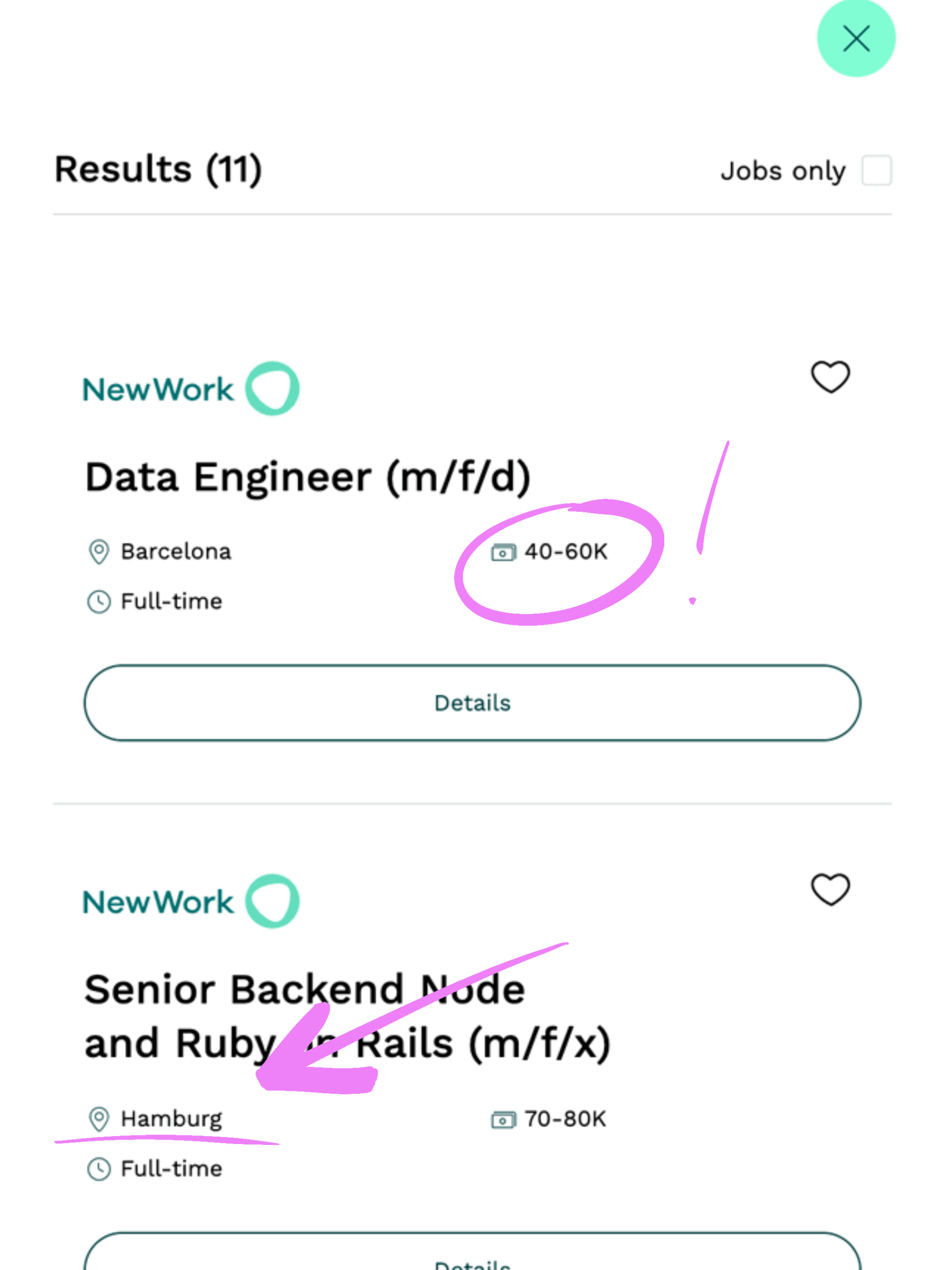
However, when users are actively searching on a website, their behavior becomes more practical. You could say they enter an exploratory mode. They might already have a general salary expectation in mind or be open to various remote possibilities based on information they’ve received through job titles, the job ad, or simply the search results. In our case, users can easily see the salary expectation for a role or its advertised location, making it in some instances unnecessary to actually use some of the explicit filters.
There is nothing wrong with a difference in user feedback and actual data - it's a powerful opportunity.
What to make out of our learnings
The difference in user feedback and actual data can be frustrating at first, but there is nothing wrong or a failure in using these methods to gather feedback. Instead they both create a great opportunity to optimise your user experience. What we did is acknowledge both sets of results and take action accordingly.
Salary and remote work are crucial filter
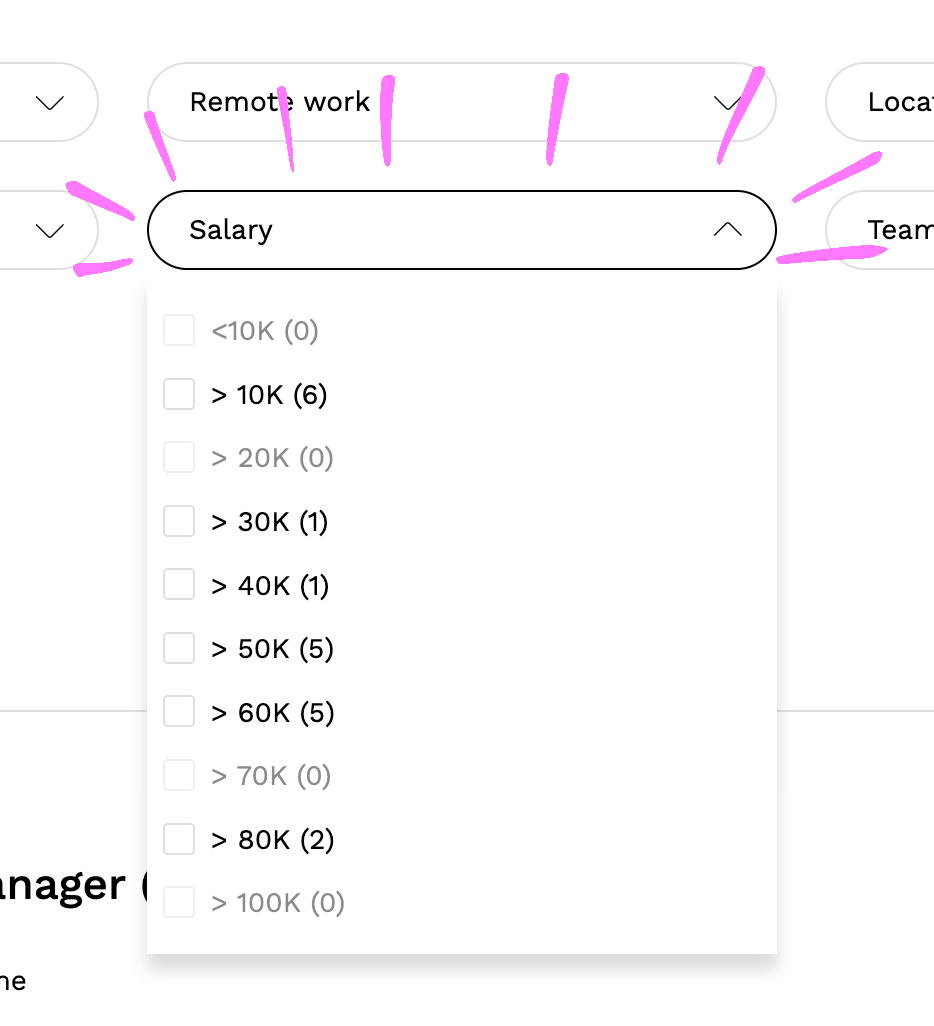
Even if they aren’t the most used filters, salary and remote work are undeniably important decision-making factors for job seekers. We ensured these options remained as filters, but we also made sure this information is easily visible on the search results list and prominently within the job advertisements themselves. This way, users quickly find these key details without always needing to activate a specific filter.
The location filter is everyones darling
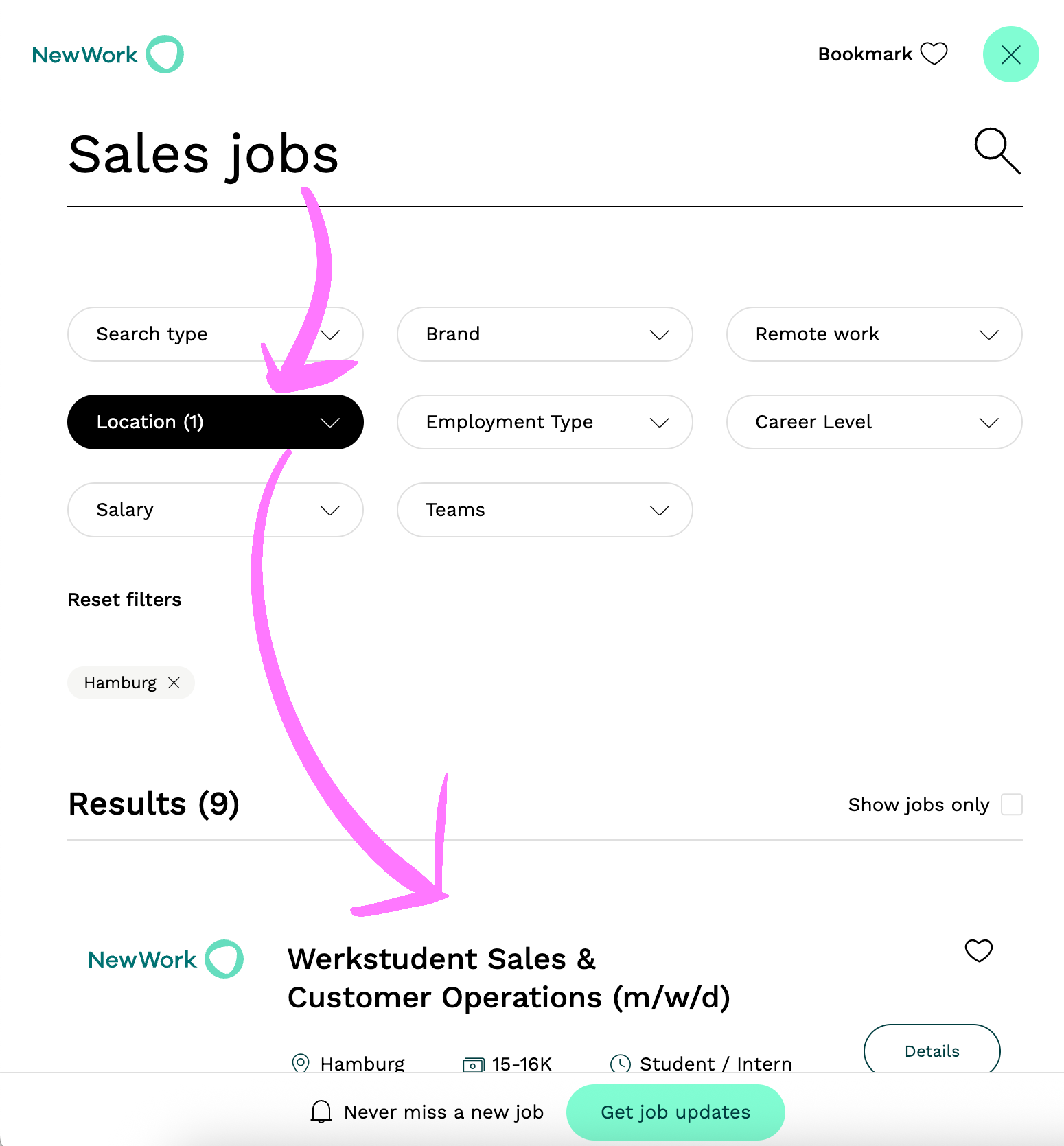
The Location filter truly is the darling of job search! Our data and user feedback consistently proved it’s the most used filter. It’s also one of the filters most heavily used in combination with a search term right at the beginning of a job search journey. Our key takeaway: always make sure the job’s location is immediately visible to the user and that it can be easily filtered.
Teams, employment type and career level: The secondary filter
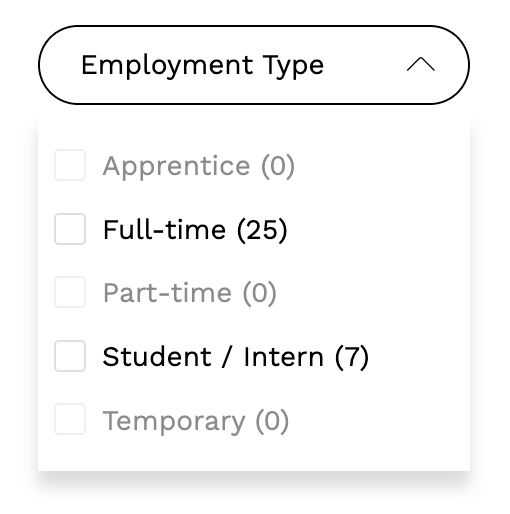
These filters – Teams, Employment Type, and Career Level – have a important secondary role. While filters such as salary, remote work, and location seem to be equally important to most job seekers, these are really down to individual preferences and specific career goals. They are used, and their importance varies significantly from one target group to another, which is precisely why we decided to leave them in the search and not remove them. They cater to a deeper level of fine tuning your job search results.
No filters, no good
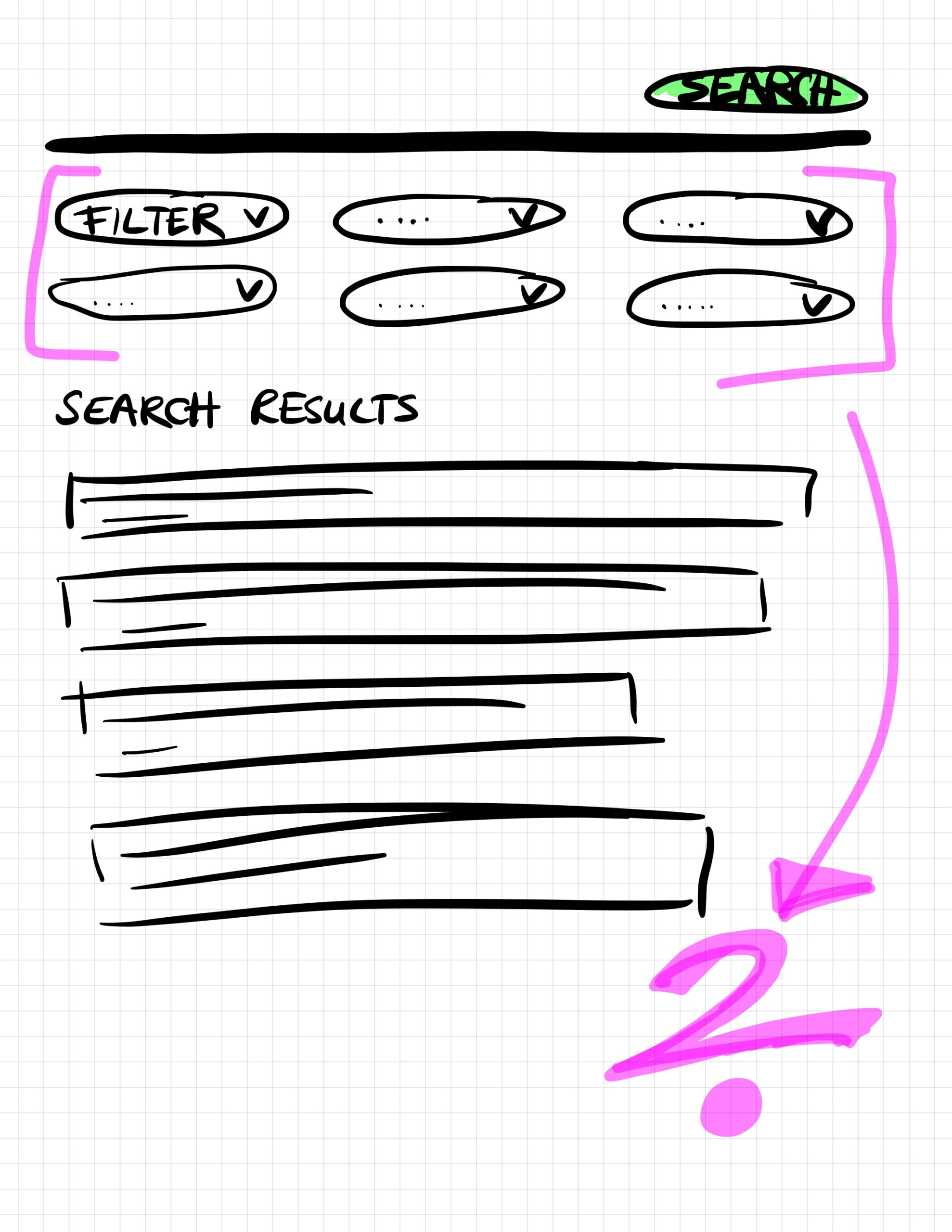
One of my most striking learnings came from testing a scenario with no filters at all. Even with a highly intelligent search bar, taking away the filter options completely frustrated our users. It seems as if they were not just looking for functionality; they were actually looking for the presence of filters. I guess this is another familiar and expected control mechanism for something that has been learned over years. Filter options serve a critical purpose in providing a sense of control and familiarity to the job search experience. Taking them away really has the potential to frustrate users. Since the aim of this project was the opposite, we quickly stopped walking down this road.
Taking away job search filter all together feels like taking away the steering wheel from a driver.
In conclusion: Don´t mess around with a job hunters filter options
This project began with a bold thought: could a smarter search bar make traditional filters obsolete? Our user testing delivered a resounding “no.” We learned that job seekers don’t just use filters for functional narrowing; they rely on them for a fundamental sense of control and familiarity. Removing these options, even if the underlying search functionality was robust, left users feeling confused and frustrated – like taking the steering wheel from a driver.
Wondering how you can optimise your job search experience? Let’s talk
By clicking submit I agree to the processing of my personal data in accordance with the Privacy Policy

Johannes Wichmann
Karolinenstraße 16
20357 Hamburg
Germany
+49 172 451 48 66